
Inventory management for your store
Stock levels update with every sale, goods receiving takes minutes, and cost price is calculated for you. You always know what's in stock and what it's worth.
The consultation is free, with no strings attached
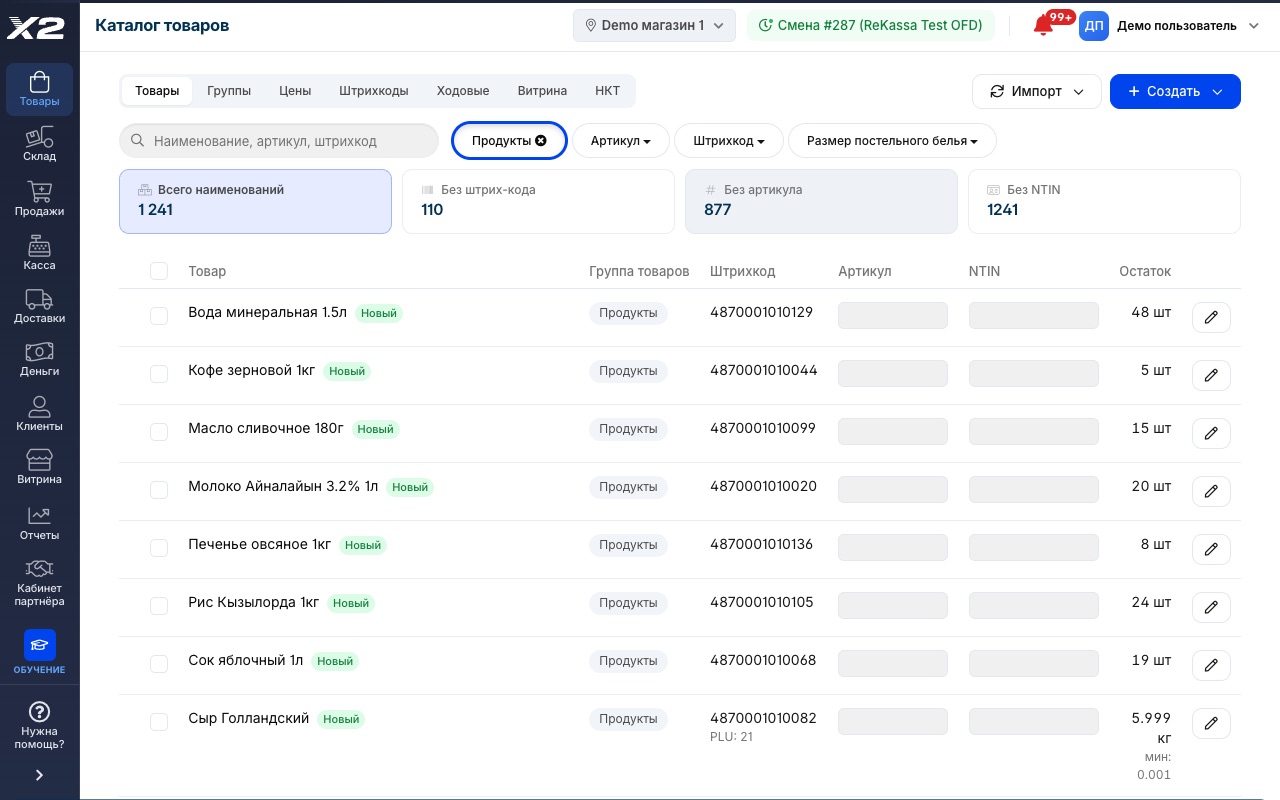
How it works
Receive the goods
With a scanner, from Excel or from a photo of the invoice: AI recognizes the line items itself. New products are created right in the receiving document, by barcode, from a 10M-item database.
Stock and prices update
The batch lands in inventory with its cost price, and retail prices recalculate using your markup.
Movements log themselves
Sales, write-offs, transfers between branches: every unit leaves a trail in the history.
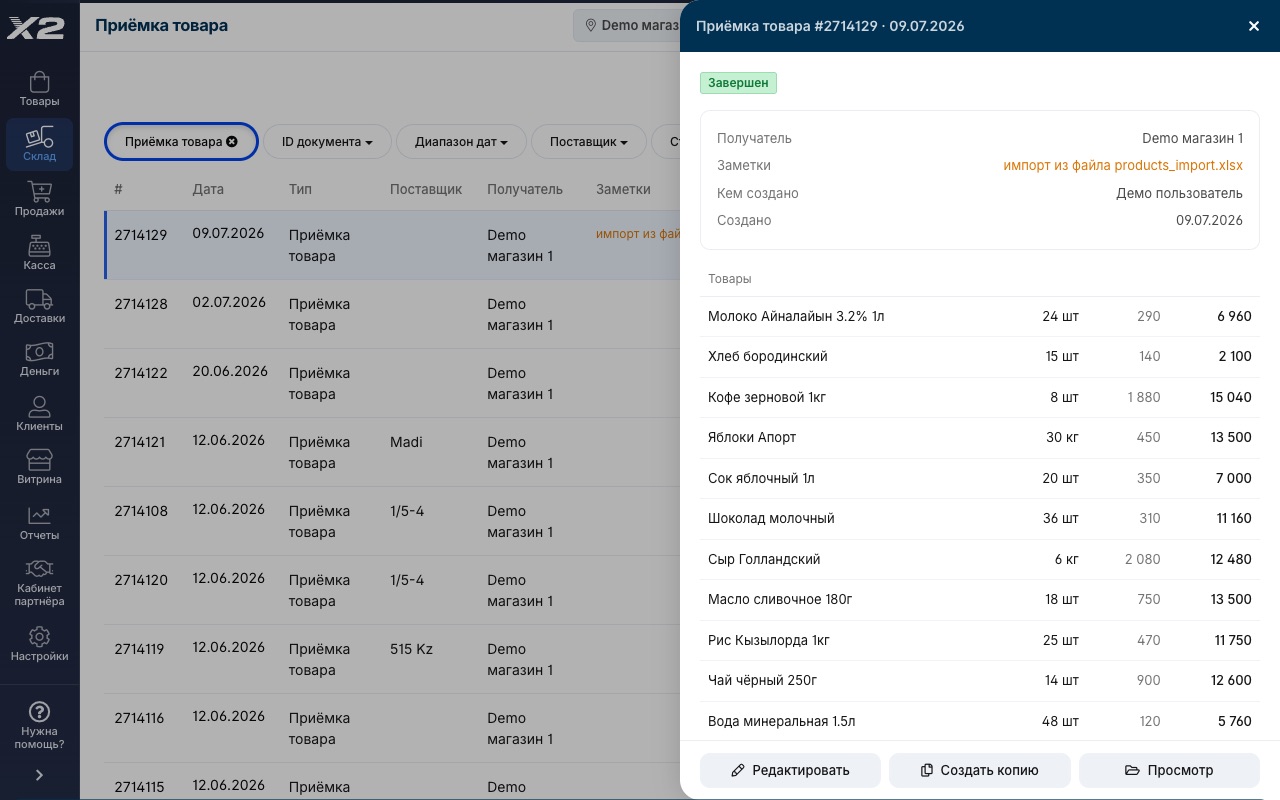
Receiving takes minutes
- Scan an item, and quantity and price fill in automatically
- Import an invoice from Excel: a hundred items in a couple of minutes
- Retail prices recalculate automatically using your set markup
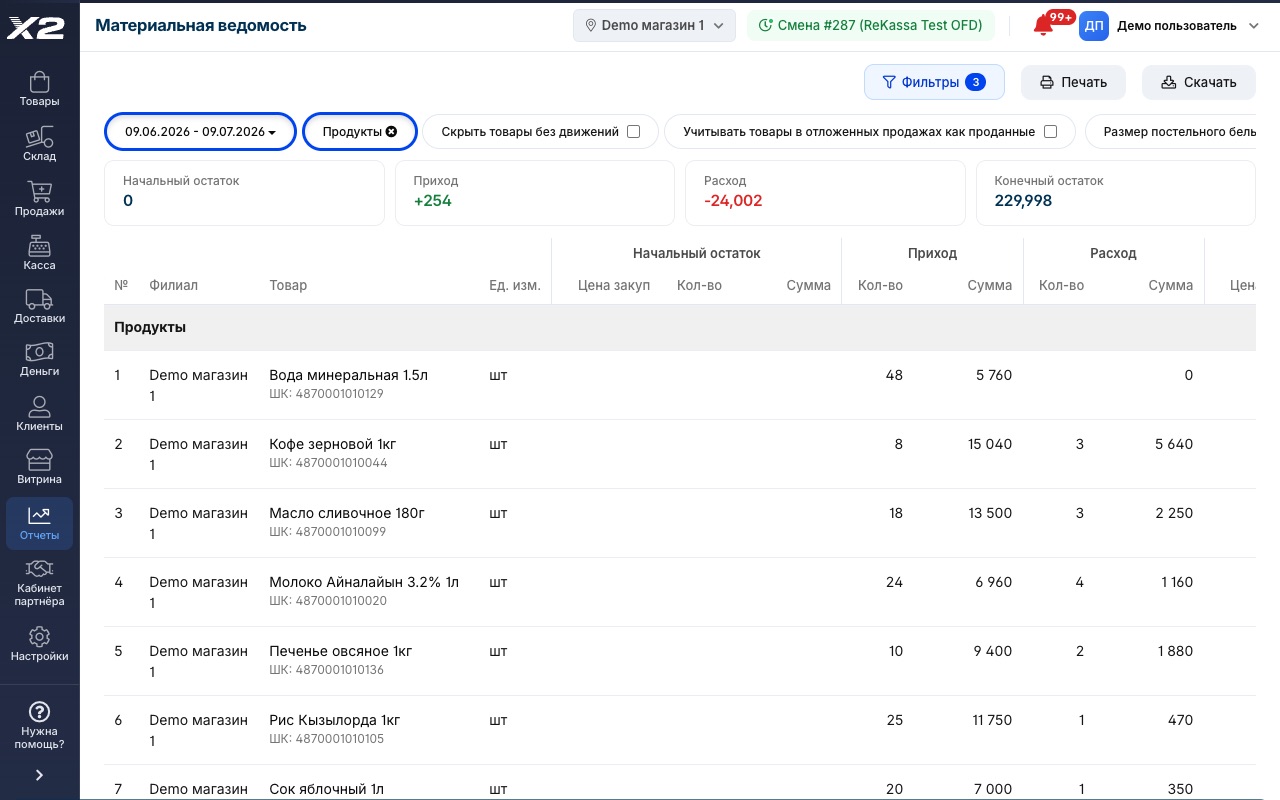
Accurate stock at any moment
- Every sale at the register instantly deducts stock
- Movement history: who moved every unit, when and where
- Stock value in money, at purchase and retail prices
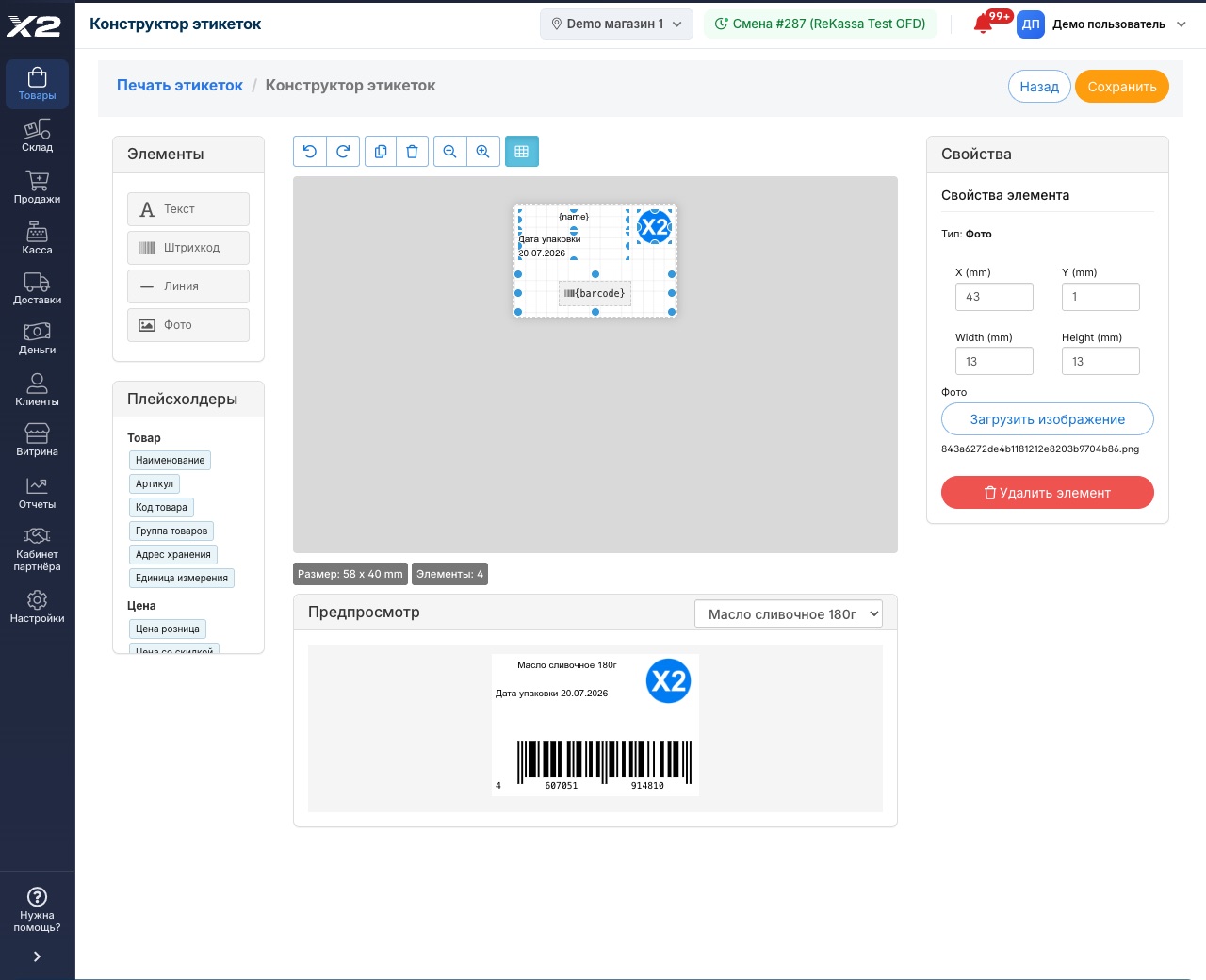
Price tags and labels with no designer needed
- Builder: drag name, price and barcode into place
- Packing date, SKU, storage location and any other product data
- Preview on a real product: see how it turns out before printing
Receiving by scanner or Excel
Upload your supplier's invoice as a file or scan the boxes, and a hundred items land in inventory in minutes.
Batches and cost price
FIFO accounting: every sale draws from a specific batch, so profit is calculated on the real purchase price.
Transfers between branches
Ship from the warehouse — receive at the store. Goods in transit stay visible, nothing gets lost on the way.
Write-offs with reasons
Breakage, defects, expired stock: every write-off is logged with a reason and amount, so the owner sees where goods go.
Barcodes and price tags
Print price tags and barcode labels straight from the program, on a regular or label printer.
Minimum stock levels
The program flags what's running out and builds a reorder list for your supplier.
Receiving from an invoice photo
Snap a photo of the invoice, and AI recognizes the line items and matches them to your catalog. All that's left is to review and confirm.
Bundles and kits
Combine several products into a kit: sell the bundle and the components are deducted from stock automatically.
Kaspi store orders
Products and prices sync with Kaspi, orders drop straight into the program, and stock is deducted automatically.
Frequently asked questions
How do I move my products over from Excel or another program?
Upload the file, and products, prices and stock levels flow into the system. With turnkey setup we migrate the database for you, usually within a day.
Does it support multiple stores or warehouses?
Yes. Each branch sees its own stock, goods move between them with a transfer document, and the owner sees the whole picture across all locations.
How is cost price calculated?
By batch (FIFO): a sale deducts goods from the earliest batch at its purchase price. Profit in reports isn't a guess, it's based on real purchases.
Can I track products with sizes and colors?
Yes, products can have variations: size, color, volume. Each variation gets its own barcode, stock level and price. Handy for clothing and footwear.
How many products can the program handle?
Tens of thousands of items is no limit. Stores with large catalogs run on X2 POS without slowing down the register or the reports.
How does receiving from an invoice photo work?
Photograph the paper invoice in the app: AI recognizes the product table, matches the line items to your catalog and drafts the receiving document. You review the result and confirm, and the goods land in inventory.
See it live in a 15-minute demo
We'll walk you through it using your own store and your own products. Free, with no strings attached.
4300+ stores run on X2 POS · 8 years on the Kazakhstan market · ★ 4.9 rating on 2GIS · 60 reviews