
NKT and NTIN with no manual work
Listing the NTIN in receipts is required by Kazakhstan law. X2 POS handles it automatically: the code fills in by barcode when a product is created and at the moment the receipt is fiscalized.
The consultation is free, with no strings attached
How it works
Scan the barcode
Create the product as usual. The app finds the barcode in the NKT database and fills in the NTIN itself.
Sell as always
The cashier types nothing: the NTIN lands in the fiscal receipt and goes to the fiscal data operator with it.
Keep the catalog in check
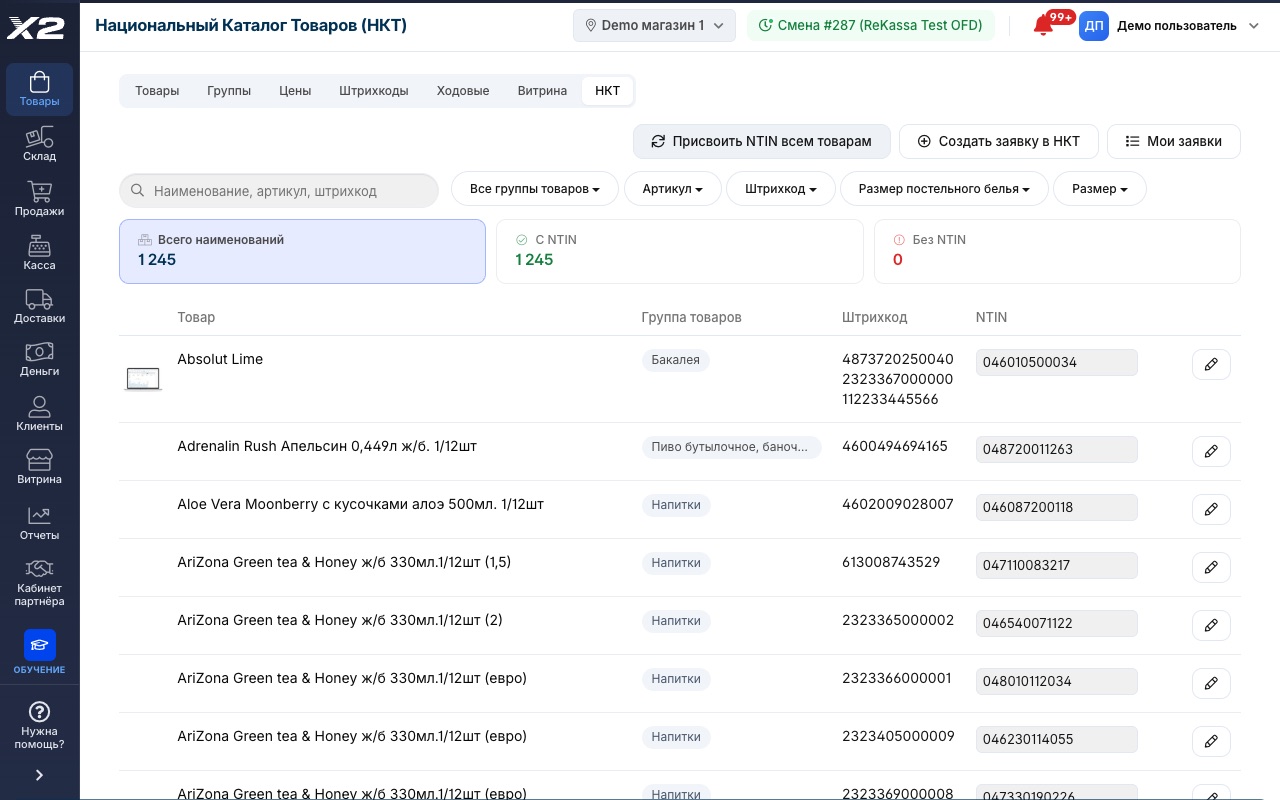
Counters show how many products have an NTIN and how many do not. The catalog database refreshes daily.
NTIN visible right in the product catalog
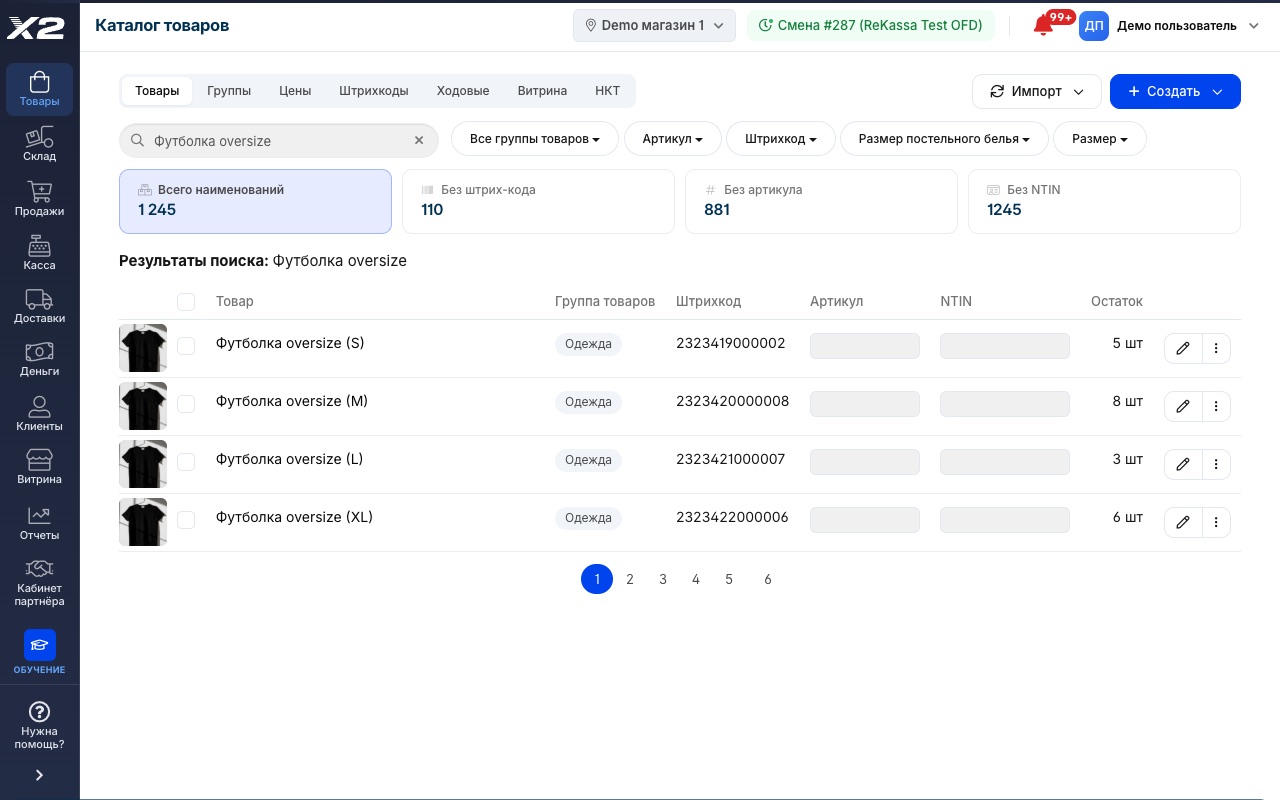
- An NTIN column in the product list: edit the code without opening the card
- The "No barcode" and "Without NTIN" cards highlight catalog gaps
- Search by name, SKU or barcode finds the product instantly
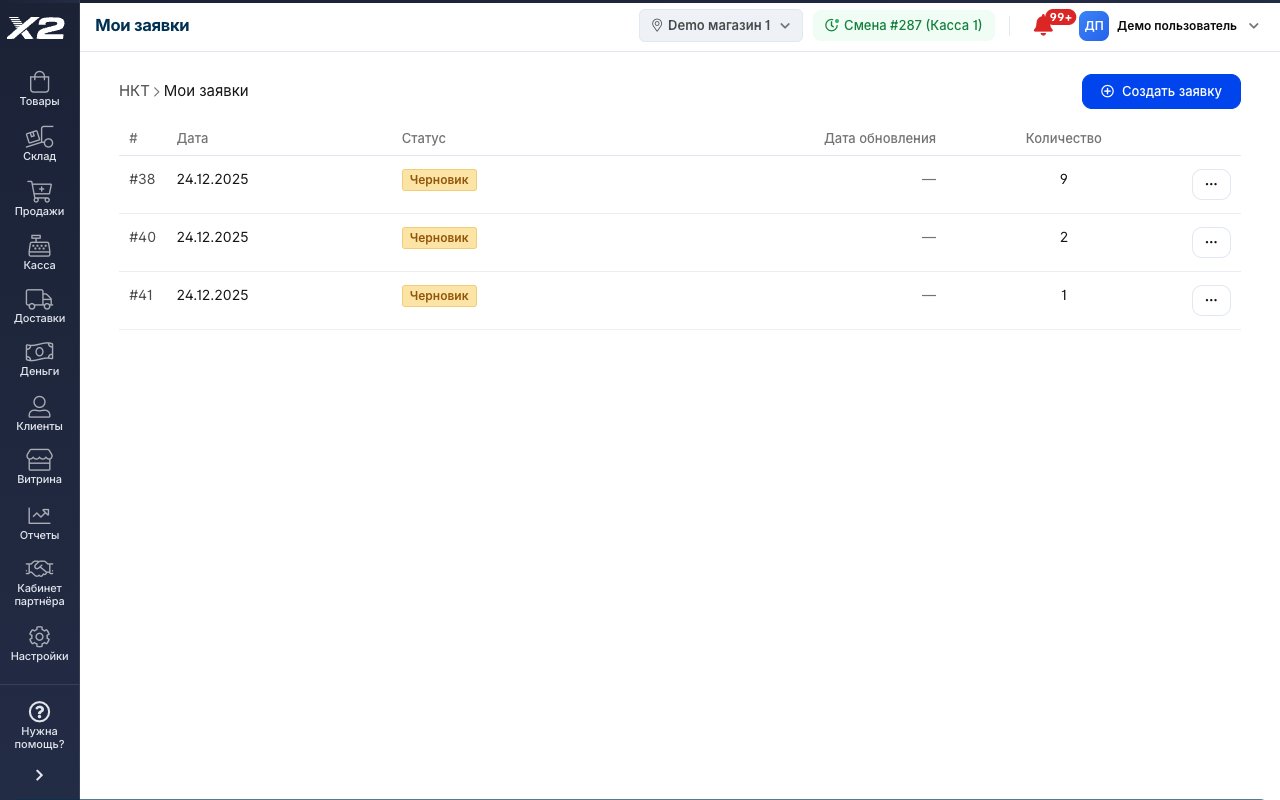
Product not in the catalog? The request goes out from the app
- A product registration request is created right in X2 POS
- Request statuses at hand under "My requests"
- Once registered, the NTIN fills into the product and lands in receipts
NTIN by barcode
The NKT code fills in from the built-in database the moment a product is created. No manual lookup needed.
NTIN in every receipt
The code goes to the fiscal data operator with each receipt. The legal requirement is met without the cashier lifting a finger.
Database refreshed daily
The NKT data syncs with the official e-catalog.gov.kz catalog every day.
Bulk assignment
The "Assign NTIN to all products" button fills in codes for the whole catalog by barcode in a single run.
Missing codes are visible
The "With NTIN" and "Without NTIN" counters in the catalog show at a glance which products need attention.
Catalog search
If a barcode is not found in the NKT, pick the code manually: search by name works right in the product card.
NKT requests from the app
Product missing from the catalog? Send a registration request from X2 POS and track its status under "My requests".
Import with NTIN
Upload your catalog from Excel with an NTIN column. Products without a code get one assigned by barcode.
Sales never stop
A product without an NTIN sells as usual. The app does not halt the register; it points out what to fix.
Frequently asked questions
What are the NKT and NTIN?
The NKT is Kazakhstan's National Product Catalog, a unified product database with codes. The NTIN is a product code from that catalog, shown in fiscal receipts as required by Kazakhstan law.
Is sending the NTIN in receipts mandatory?
The requirement rolls out in stages and covers more product groups over time. With X2 POS there is nothing to prepare: codes fill in and go to the fiscal data operator automatically.
I have hundreds of products without an NTIN. What do I do?
Press "Assign NTIN to all products": the app walks the catalog and fills in codes by barcode from the NKT database. Products with no match stay visible in the "Without NTIN" counter.
What if a product is not in the NKT?
Send a registration request right from X2 POS and track its status under "My requests". Sales keep running in the meantime.
Where does the NKT database come from and how fresh is it?
From the official source. X2 POS syncs its built-in database with the National Product Catalog daily, so new items and changes arrive without your involvement.
See it live in a 15-minute demo
We'll walk you through it using your own store and your own products. Free, with no strings attached.
4300+ stores run on X2 POS · 8 years on the Kazakhstan market · ★ 4.9 rating on 2GIS · 60 reviews