
POS software for your store
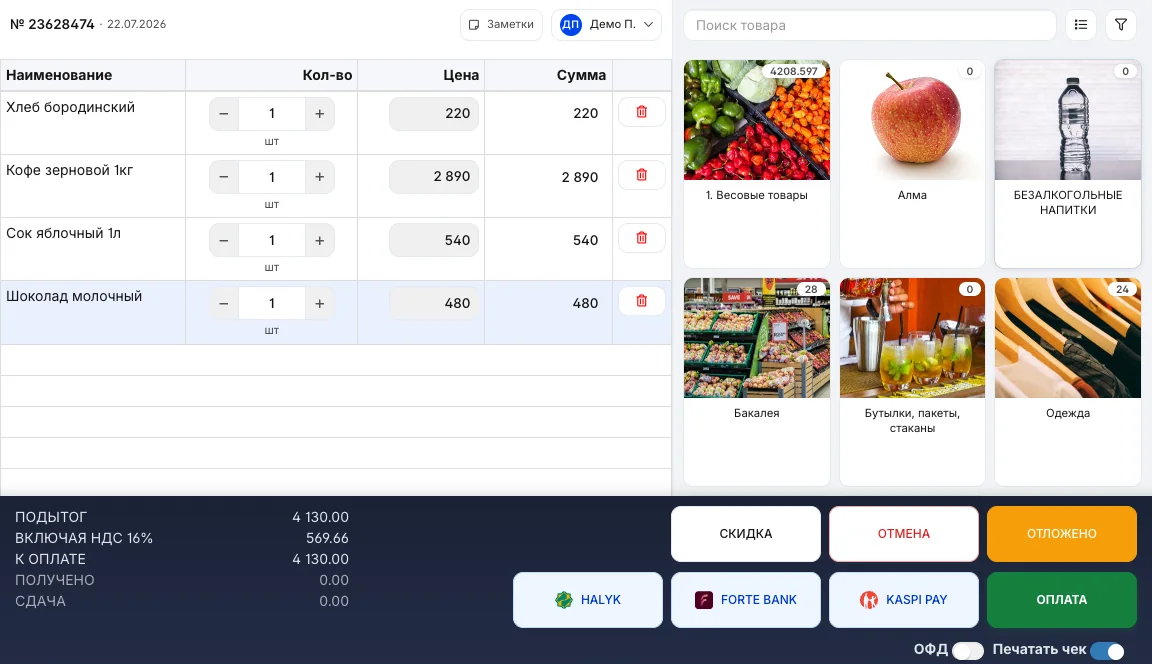
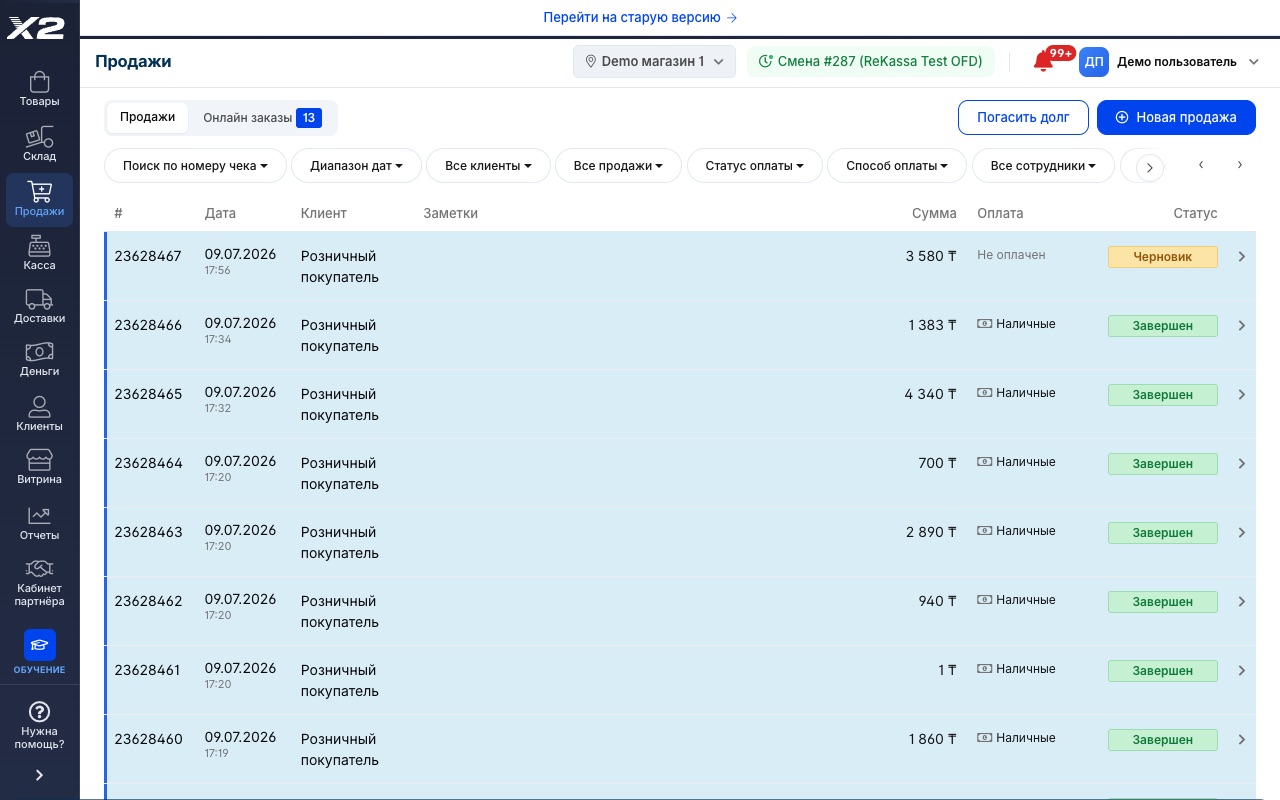
A sale in two steps: scan the item, take the payment. The register runs without freezing and keeps working even when the internet drops. The receipt goes to the OFD automatically.
The consultation is free, with no strings attached
How it works
Scan the item
With a scanner, your phone camera or a tap on the on-screen tiles: the item lands on the receipt with its price and stock level.
Take the payment
Cash, card, Kaspi QR, split payment or on a tab. The register calculates the change for you.
The receipt goes to the OFD
The fiscal receipt prints and goes to the fiscal data operator automatically. Stock levels update instantly.
A sales screen without extra buttons
- Large product tiles plus search by name, code or barcode
- Cashiers learn it in 20 minutes: there are no extra buttons
- Parked receipts: serve the next customer while the first one looks for their card
Shifts close without discrepancies
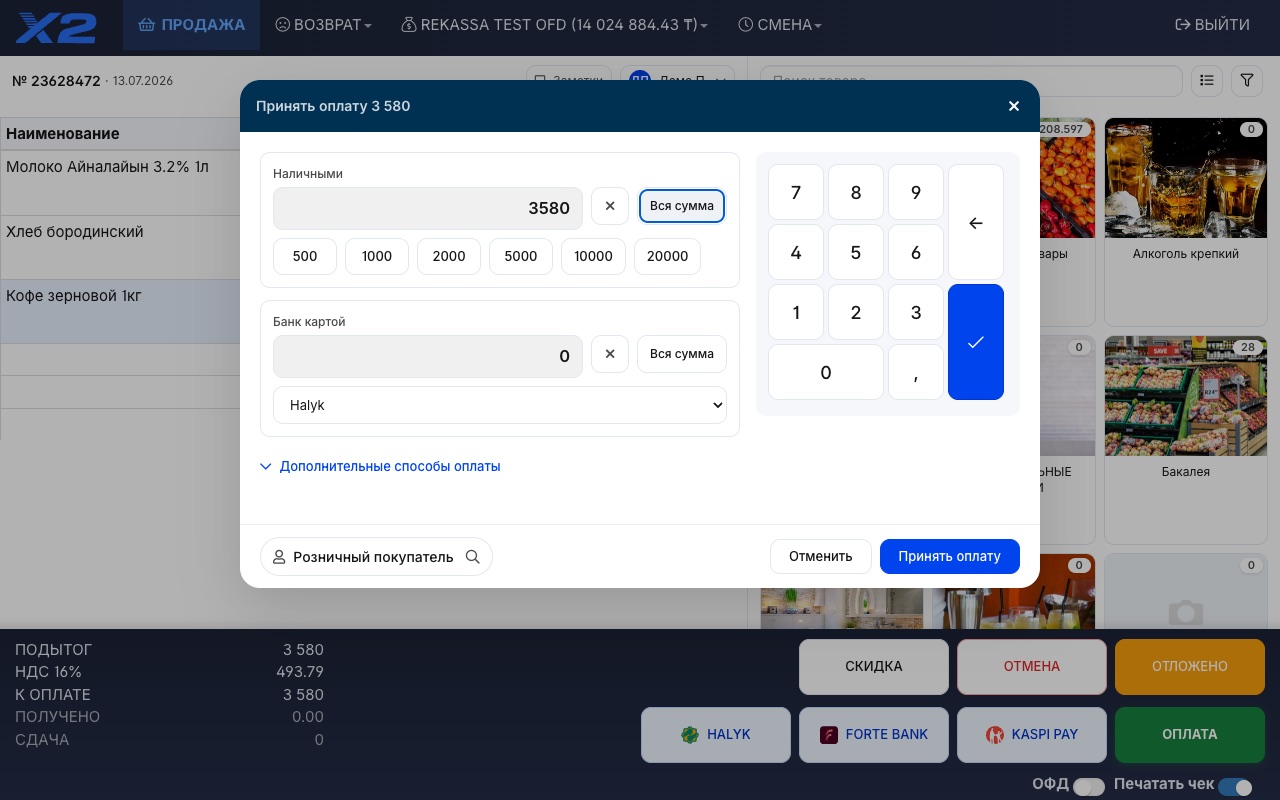
- Z report and shift totals: cash, card and Kaspi broken out separately
- Cash drops and pay-ins are logged with a comment
- The owner watches the shift from home, in a browser or the app
A branded receipt with promos and social links
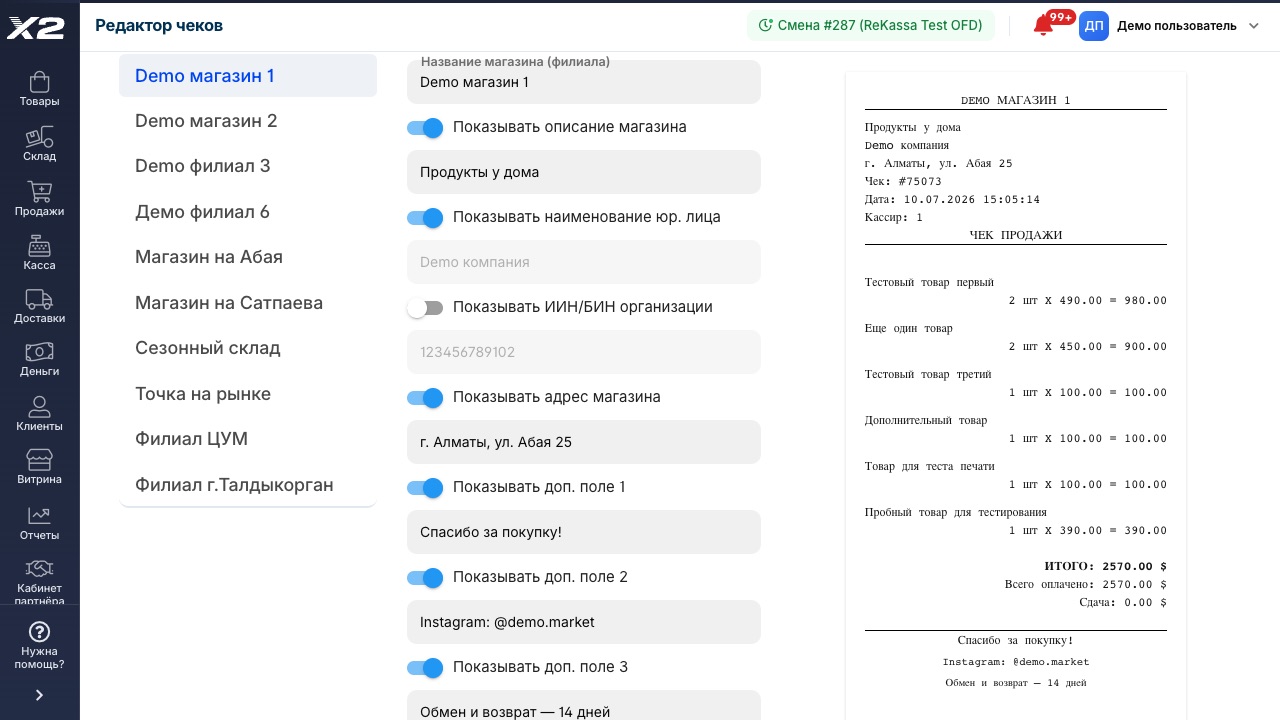
- Store name, address and a thank-you note on every receipt
- Instagram, promotions and return policy: customers won't lose track of you
- Set up in a couple of clicks, with an instant preview of the result
Works without internet
Sales don't stop when the connection drops: receipts are sent to the OFD once the internet is back.
Shifts and cashiers
Opening and closing shifts, cashier permissions, X and Z reports. The owner stays in control.
Returns and voids
Refund against a receipt in a couple of clicks, with a proper fiscal document and the item back in inventory.
Discounts and bonus points
A discount on an item or the whole receipt and redeeming bonus points, right on the sale screen.
Any hardware
POS terminal, regular computer, tablet or phone. Scanners and receipt printers connect in minutes.
Tabs and prepayments
A sale on a tab for a regular customer is logged to their balance. Nothing gets lost in a notebook.
Goods sold by weight
PLU codes and scale barcodes: the register reads the label from your scales and works out the price per gram or kilogram itself.
Services on the receipt
Sell services alongside products: delivery, installation, repairs. Non-stock items don't affect your inventory levels.
Receipt designer
Promos, social links and a thank-you note right on the receipt. Tailor the layout to your store in a couple of clicks.
Frequently asked questions
Do I need special cash register hardware?
No. X2 POS runs on a regular computer, tablet or phone. If you need a POS terminal, receipt printer or scanner, we'll help you pick and connect one.
Is it legal in Kazakhstan? What about the OFD?
Yes. X2 POS is integrated with Kazakhstan's fiscal data operators: every receipt is fiscalized and sent to the OFD automatically.
What happens if the internet goes down?
The register keeps selling. Receipts are stored on the device and go to the OFD automatically as soon as the connection is back.
How much does the POS software cost?
Plans start at 9 150 ₸ per month: register, inventory and reports included. See the Pricing page for current rates.
Can a cashier with no experience run the register?
Yes. The sale screen is simple: product tiles, search and a pay button. We train your cashiers at launch, and 20 minutes is usually enough.
See it live in a 15-minute demo
We'll walk you through it using your own store and your own products. Free, with no strings attached.
4300+ stores run on X2 POS · 8 years on the Kazakhstan market · ★ 4.9 rating on 2GIS · 60 reviews